A cover letter is the short note that travels with your CV and answers the one question your CV can't: why you, for this job, at this company. The reader may give it only a few seconds before opening your CV, so a good one is specific, short and easy to scan. This guide gives you a structure that works, a full sample to adapt, an email version, and a checklist for tailoring every letter. One honest note up front: DraftPik doesn't write cover letters. It builds the CV your letter points to, and we'll show where that fits at the end.
What a cover letter is for
Your CV lists what you've done. The cover letter connects those facts to one specific job. It does three things a CV can't do well:
- It explains your motivation. Why this role, and why this company rather than any company.
- It picks your best evidence. Out of everything on your CV, it points to the two or three things that matter most for this job.
- It handles context. A career change, a move to a new city, a gap between jobs or a referral from someone at the company.
If your letter only repeats your CV in full sentences, it isn't doing its job.
When you need one (and when you don't)
Send a cover letter when:
- The job ad asks for one, or the application form has a field for it
- You apply by email, because the email body is your cover letter
- You're changing careers and your CV alone doesn't make the link obvious
- Someone referred you and you want to mention it
- You're applying to a small company where the hiring manager reads every application personally
You can usually skip it when the form has no place for it, or when the ad says not to send one. In that case, follow the ad.
How long should a cover letter be?
Keep it under one page: three or four short paragraphs, roughly 250 to 400 words. An email version can be even shorter. If you can't fit your case into that space, you're probably trying to cover too many points. Choose fewer and prove them better.
How to write a cover letter step by step
Step 1: Read the job ad and choose two proof points
Before you write a word, highlight the requirements that appear more than once in the ad, or that sit at the top of the list. Then choose two of them where you have strong, specific evidence. These become the heart of your letter.
For example, if an ad for a customer success role stresses "onboarding new clients" and "reducing churn," your proof points might be the onboarding guide you wrote and the renewal rate you helped improve.
Step 2: Write a clean header and greeting
At the top, put your name and contact details, using exactly the same name, email and phone number as on your CV. Add the date and, if you know them, the hiring manager's name and the company.
For the greeting, use a name whenever you can find one in the ad, on the company's website or on LinkedIn: Dear Ms. Rahman. If you can't find a name, Dear Hiring Team or Dear [Team name] Team reads better than To whom it may concern.
Step 3: Open with the role and a reason to keep reading
Your first two sentences should name the job and give one concrete reason you fit. Compare these openings:
Weak: I am writing to apply for the position advertised on your website. I believe I would be a great fit for your company.
Stronger: I'm applying for the Customer Success Specialist role at Brightline. In my current job I onboard around 30 new business clients a quarter, and I'd like to bring that experience to a team that's growing as fast as yours.
The stronger version names the role, includes a real detail and hints at why this company. Use your own numbers, and only ones you can explain in an interview.
Step 4: Prove your fit in one or two paragraphs
Take your two proof points and give each one a short story: the situation, what you did, and what changed. Keep the language plain and the result concrete.
At Northfield Supplies, new clients often stalled in their first month. I wrote a step-by-step onboarding guide and a set of short video walkthroughs, and the number of "how do I…" tickets from new accounts dropped noticeably within a quarter.
No exact numbers? Describe the scale or outcome honestly, such as "adopted by the whole support team."
Step 5: Show why this company
One or two sentences are enough, but they need to be specific. Mention something real: a product you've used, a market they're entering, a value they publish, or a problem the job ad hints at. Avoid flattery that could apply to any company, such as "an industry leader with a great culture."
Step 6: Close with a clear next step
End by connecting back to the role and inviting a conversation. Mention that your CV is attached, if it is.
I've attached my CV with more detail on my onboarding and renewal work. I'd welcome the chance to discuss how I could help Brightline's new clients get value faster.
Step 7: Sign off
Kind regards or Best regards, followed by your full name. In a document, you can add your phone number and email again under your name.
A sample cover letter you can adapt
Here's a complete example with made-up names and companies. Copy the structure, not the wording.
Karim Haddad
karim.haddad@example.com · +1 (555) 010-0187 · Austin, TX · linkedin.com/in/karim-haddad-example
10 November 2026
Dear Ms. Rahman,
I'm applying for the Customer Success Specialist role at Brightline. For the past three years I've managed onboarding for new business clients at Northfield Supplies, and your focus on helping small teams get started quickly is exactly the kind of work I want to do more of.
At Northfield, new clients often stalled in their first month. I wrote a step-by-step onboarding guide and recorded short video walkthroughs for our five most common setup questions. Support tickets from new accounts dropped noticeably, and the guide is now part of every new client's welcome email.
I also run quarterly check-in calls with about 40 accounts. By spotting low usage early and offering a short training session, I helped several at-risk clients renew instead of leaving.
I've used Brightline's scheduling tool with two of our partners, and I like how much it does without a manual. I'd enjoy helping new customers reach that same point sooner.
My CV is attached with more detail. I'd welcome the chance to talk about how I could support your onboarding team.
Kind regards,
Karim Haddad
Notice what the letter doesn't do: it doesn't list every job, repeat the skills section, or use phrases like "hardworking team player." Every paragraph has one job.
The email version
When you apply by email, the email itself replaces the document. Keep it shorter, around three short paragraphs, and make the subject line easy to search later:
Subject: Application: Customer Success Specialist – Karim Haddad
In the body, use the same opening, one proof point, and a closing line saying your CV is attached. Name the file clearly, for example Karim-Haddad-CV.pdf. If the ad asks for a separate cover letter as well, attach it as a PDF and keep the email body to two or three lines.
End with a simple, professional signature with your name, phone number and LinkedIn link. Our email signature examples show a few clean formats that work for job applications.
Tailor every letter in ten minutes
You don't need to start from scratch for every application. Keep a base letter and change these parts each time:
- The role name, the company name and the greeting
- The opening reason you fit
- The two proof points, chosen from that ad's main requirements
- The "why this company" sentence
- The closing line
Then reread it next to the job ad. If a sentence would work just as well for a different company, rewrite it or cut it.
Common cover letter mistakes
- The wrong company name. Copy-and-paste errors happen to everyone. Check the name in the greeting, the first paragraph and the closing.
- Retelling your CV. Pick evidence and explain it. Don't narrate your career from the beginning.
- Making it all about what you want. It's fine to say what you're looking for, but most of the letter should be about what you'll bring.
- Overclaiming. Anything in your letter can come up in an interview, so keep every number and claim honest.
- Details that don't match your CV. Different dates, job titles or phone numbers look careless.
- Long blocks of text. Short paragraphs are easier to read, especially on a phone.
Many of these also show up on CVs. See our list of common CV mistakes before you send both documents.
Make your CV match your letter
Your letter makes promises and your CV backs them up. The reader should be able to find every proof point from your letter in your CV within seconds. Before you send:
- Use the same name, professional title, email and phone number in both documents.
- Make sure the achievements you mention appear as bullet points under the right job.
- Keep the same numbers in both, so "about 40 accounts" in your letter isn't "50+ accounts" on your CV.
- Put the most relevant role and bullets near the top of the CV.
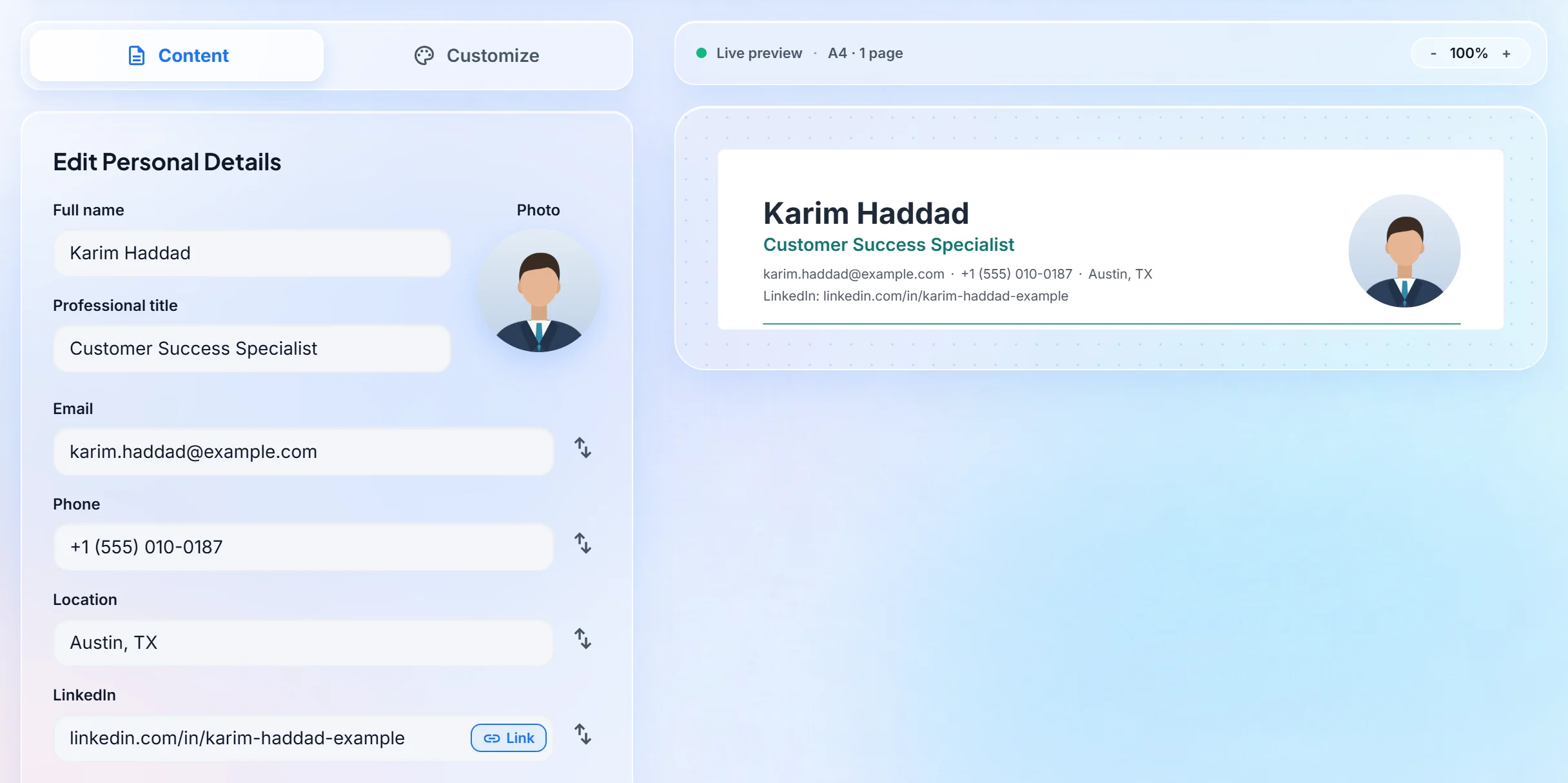
DraftPik has no cover letter editor, so write your letter in your email or in a document editor. Then build the matching CV in the DraftPik resume generator: add your full name and professional title in the personal details, write a short summary that echoes your letter's opening, and add the achievements you mention under each job. If you need a refresher on writing those sections, see our step-by-step guide on how to make a CV.
FAQ
Is a cover letter still necessary?
Not for every application. Send one when the ad asks for it, when you apply by email, or when you need to explain something your CV can't, such as a career change. If the application form has no place for it and the ad doesn't mention it, your CV can go alone.
Should I address my cover letter to a specific person?
Yes, if you can find the right name in the ad, on the company website or on LinkedIn. If you can't, "Dear Hiring Team" is a polite and safe choice.
Can I use the same cover letter for every job?
You can reuse the structure and some sentences, but the opening, the proof points and the "why this company" part should change for each job. A letter that could go to any employer usually reads that way.
Can DraftPik write my cover letter?
No. DraftPik doesn't write or generate cover letters. It's a CV and resume builder, so it's there to help you create the CV your letter refers to.
Once your letter is drafted, open the DraftPik resume generator and build the CV that backs it up. On the Free plan you can create one CV and download a clean PDF with a free account, up to 10 downloads a day.